Verifica PDF/APDF/A check
Valida con tecnologia VeraPDF per verificare la conformità dei file allo standard PDF/A.Validates with VeraPDF technology to verify the compliance of files with the PDF/A standard.
PDFitA valida e converte documenti PDF nello standard di conservazione PDF/A richiesto per il deposito telematico e gli archivi istituzionali. Usa il validatore VeraPDF, adottato anche a livello europeo, verifica più file in parallelo e converte in PDF/A-1b, 2b o 3b senza modificare gli originali. PDFitA validates and converts PDF documents to the PDF/A archiving standard required for electronic filing and institutional archives. It uses the VeraPDF validator, adopted also at European level, checks multiple files in parallel and converts to PDF/A-1b, 2b or 3b without modifying the originals.
Verifica la conformità e converti i documenti per il deposito telematico e la conservazione.Check compliance and convert documents for electronic filing and long-term archiving.
Usa il validatore VeraPDF del consorzio VeraPDF, adottato anche dalle istituzioni europee.Uses the VeraPDF validator from the VeraPDF consortium, also adopted by European institutions.
Trascina file o cartelle e valida più file in parallelo.Drag files or folders and validate multiple files in parallel.
Richiede una licenza solo per l'uso in ambito commerciale/professionale.Requires a license only for commercial/professional use.
Valida con tecnologia VeraPDF per verificare la conformità dei file allo standard PDF/A.Validates with VeraPDF technology to verify the compliance of files with the PDF/A standard.
Converte e salva i file .PDF in PDF/A, il formato di conservazione richiesto per il deposito telematico e gli archivi istituzionali.Converts and saves .PDF files to PDF/A, the archiving format required for electronic filing and institutional archives.
Più file vengono validati contemporaneamente, riducendo i tempi su grandi quantità di documenti; livello PDF/A-1b, 2b o 3b a scelta.Several files are validated at the same time, cutting processing time on large batches of documents; PDF/A-1b, 2b or 3b level of your choice.
Aggiungi (Ctrl+O), Valida (F5), Converti in PDF/A (Ctrl+E) e Firma (Ctrl+G), che passa i file al tuo programma di firma digitale.Add (Ctrl+O), Validate (F5), Convert to PDF/A (Ctrl+E) and Sign (Ctrl+G), which hands the files to your digital signature program.
Aggiungi file o intere cartelle anche trascinandoli, spunta tutti o nessuno, ordina per nome, stato o dimensione; per ciascuno vedi versione PDF, stato PDF/A e dimensione.Add files or whole folders, also by drag and drop, check all or none, sort by name, status or size; for each one you see PDF version, PDF/A status and size.
Tema chiaro o scuro, italiano e inglese, proprietà del documento (autore, oggetto, parole chiave), guida integrata e verifica degli aggiornamenti.Light or dark theme, Italian and English, document properties (author, subject, keywords), built-in guide and update check.
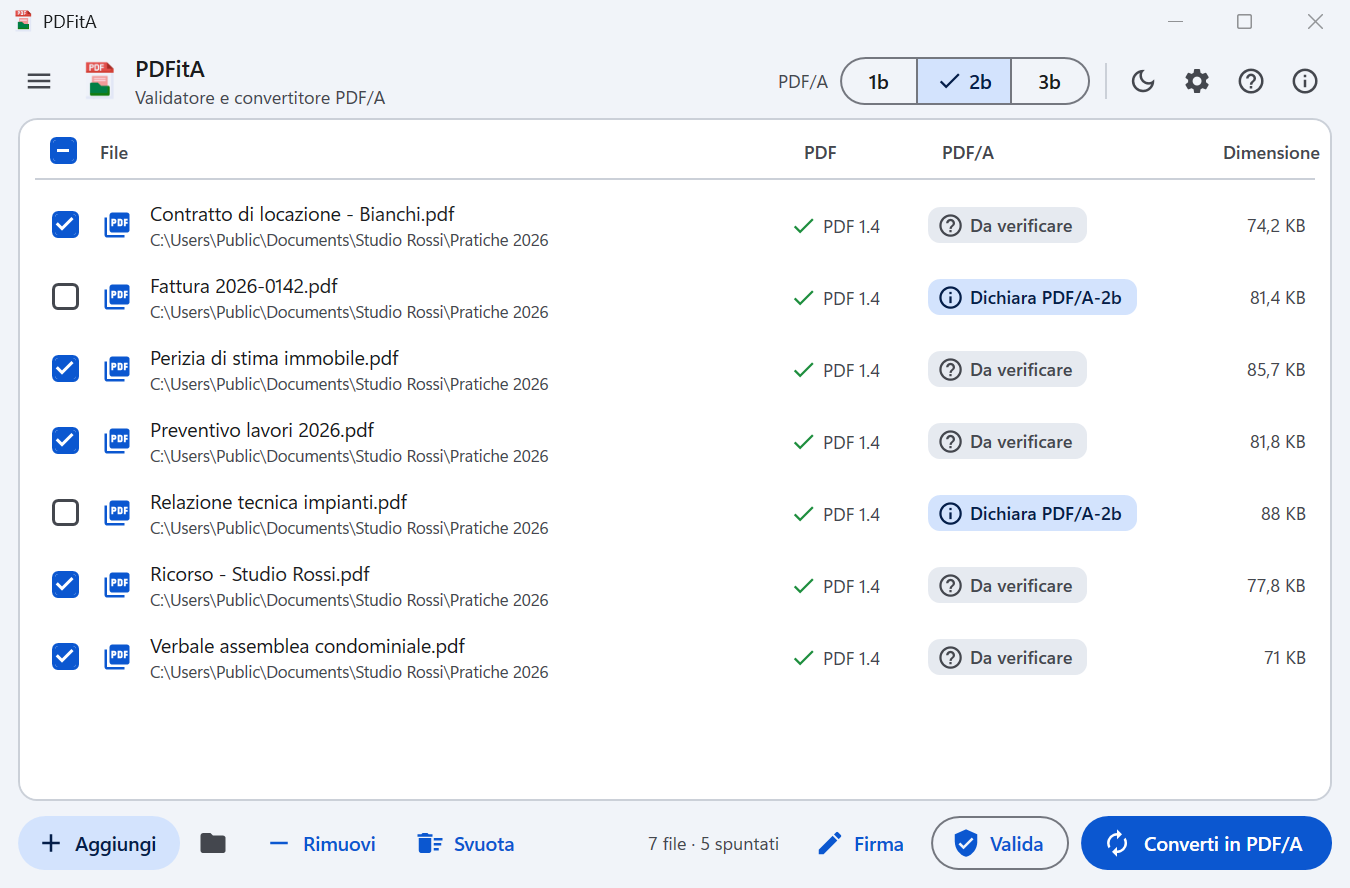
Trascina file o intere cartelle, oppure usa Aggiungi: PDFitA legge subito la versione PDF e se il file si dichiara PDF/A.Drag files or whole folders, or use Add: PDFitA immediately reads the PDF version and whether the file declares itself PDF/A.
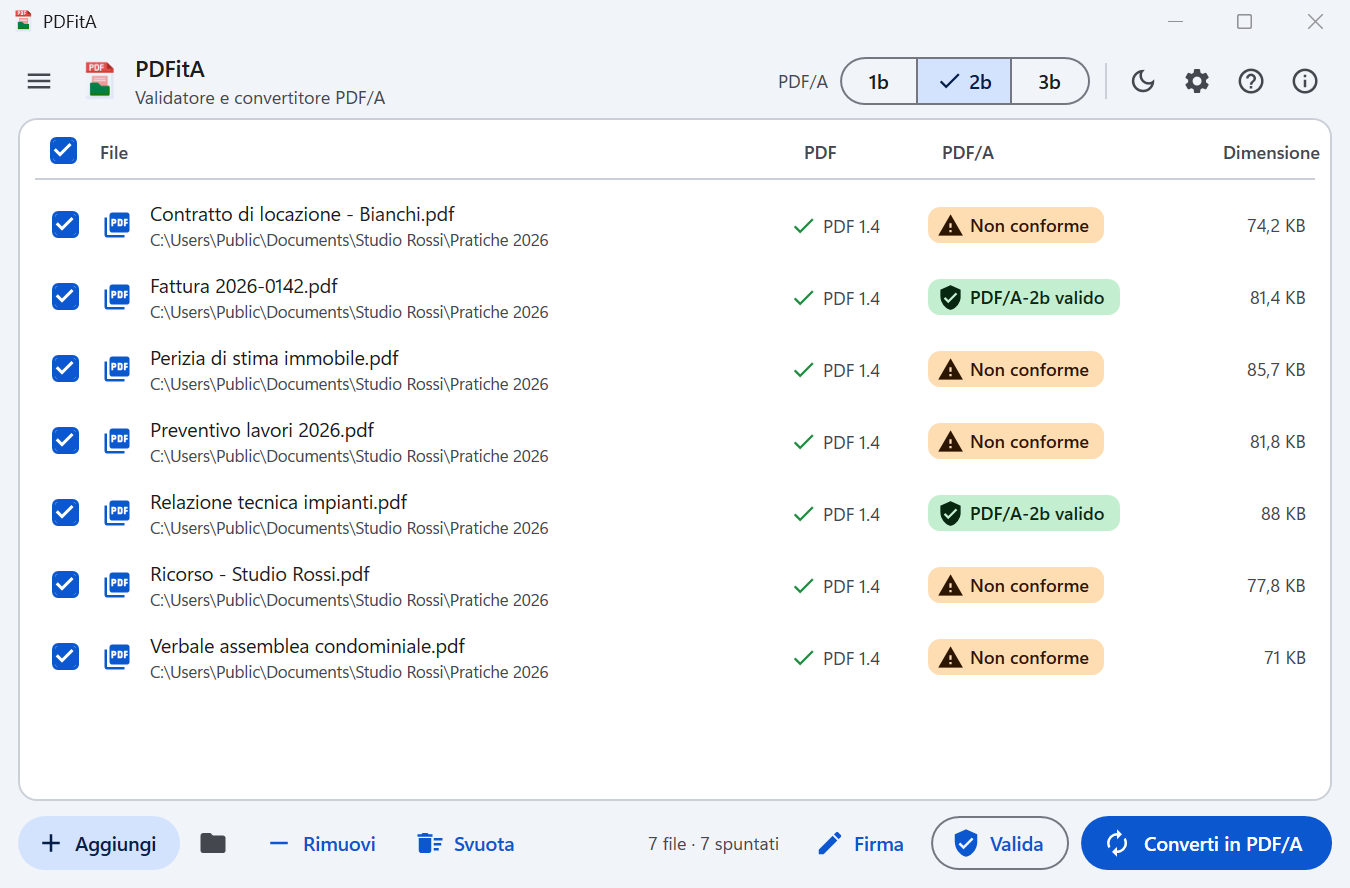
Valida con veraPDF i file spuntati: per ciascuno vedi se è un PDF/A valido o non conforme.Validates the checked files with veraPDF: for each one you see whether it is a valid PDF/A or non-compliant.
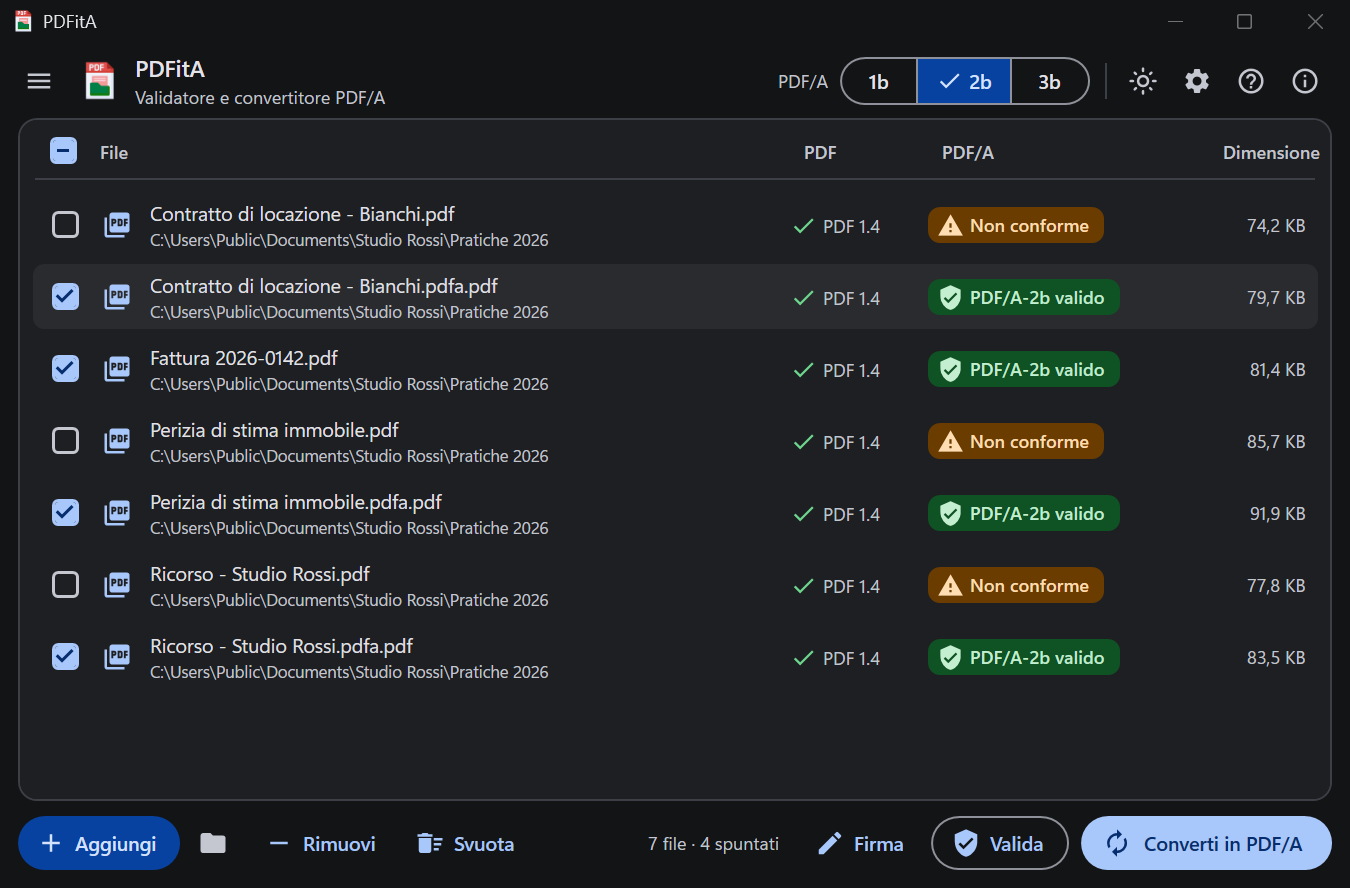
Converte i file non conformi e salva «nome.pdfa.pdf» accanto all'originale, già validato. Disponibile anche il tema scuro.Converts the non-compliant files and saves «name.pdfa.pdf» next to the original, already validated. A dark theme is available too.
Il canale consigliato per Windows è Microsoft Store: installazione e aggiornamenti automatici sono gestiti direttamente dallo Store. The recommended channel for Windows is Microsoft Store: installation and automatic updates are handled directly by the Store.
Apri PDFitA nel Microsoft StoreOpen PDFitA in Microsoft Store PrestoSoonPacchetto di installazione per Windows (PDFitA - da .PDF a PDF/A), scaricabile direttamente dal sito AGAP. Gli aggiornamenti vanno scaricati manualmente da questa pagina. Windows setup package (PDFitA - from .PDF to PDF/A), downloadable directly from the AGAP website. Updates must be downloaded manually from this page.
Scarica PDFitA per WindowsDownload PDFitA for Windows