Visualizzazione del messaggioMessage viewer
Anteprima del contenuto HTML o testuale, navigazione tra i messaggi e supporto ai contenuti incorporati.Preview HTML or text content, navigate between messages, and work with embedded content.
EML.io è disponibile per Windows e Android. La versione Windows è pensata per aprire messaggi e-mail senza dipendere dal client di posta, gestire allegati e messaggi incorporati, esaminare header e dettagli tecnici, riconoscere la struttura delle PEC ed esportare i contenuti in EML, HTML e PDF. Per Windows puoi installarla dal Microsoft Store oppure scaricare la versione portabile ZIP dal sito AGAP; per Android è disponibile una versione dedicata scaricabile direttamente come APK. EML.io is available for Windows and Android. The Windows version is designed to open email messages independently of your mail client, manage attachments and embedded messages, inspect headers and technical details, recognize PEC structure, and export content to EML, HTML and PDF. On Windows you can install it from Microsoft Store or download the portable ZIP version from the AGAP website; a dedicated Android version is available as a direct APK download.

Un solo strumento per consultare messaggi, PEC e allegati, verificare le informazioni tecniche ed effettuare esportazioni singole o massive. One tool to inspect messages, PEC and attachments, review technical information, and perform individual or batch exports.
Su Windows apri i principali formati di messaggio e riconosci automaticamente le strutture tipiche della Posta Elettronica Certificata.On Windows, open common message formats and automatically recognize typical Italian Certified Email (PEC) structures.
Consulta riepilogo, header completi, dati di autenticazione, sorgente raw e informazioni utili per comprendere il messaggio oltre la sola anteprima.Review summary, full headers, authentication data, raw source, and useful technical information beyond the visual preview.
Esporta in EML, HTML o PDF, salva gli allegati oppure crea output organizzati per archiviazione e condivisione.Export to EML, HTML or PDF, save attachments, or create organized output for archiving and sharing.
Elabora più file insieme, scegli come gestire gli allegati e applica rinomina automatica basata su data e oggetto.Process multiple files together, choose how attachments are handled, and automatically rename files using date and subject.
Le funzioni della versione Windows sono organizzate per mantenere semplice l'uso quotidiano senza rinunciare agli strumenti più tecnici quando servono.The Windows version keeps everyday use simple while making deeper technical tools available when needed.
Anteprima del contenuto HTML o testuale, navigazione tra i messaggi e supporto ai contenuti incorporati.Preview HTML or text content, navigate between messages, and work with embedded content.
Apri, salva o esporta gli allegati e accoda messaggi EML incorporati per consultarli senza perdere il contesto.Open, save or export attachments and append embedded EML messages for convenient inspection.
Schede dedicate a riepilogo, header completi, autenticazione e sorgente raw, con comandi di copia rapida.Dedicated tabs for summary, full headers, authentication and raw source, with quick copy actions.
Riepilogo PEC, tipo di ricevuta, dati di certificazione, presenza di daticert.xml e postacert.eml e struttura del messaggio certificato.PEC summary, receipt type, certification data, daticert.xml and postacert.eml presence, and certified-message structure.
Salva il messaggio come EML, HTML o PDF, esporta con allegati, crea output in file unico quando disponibile e stampa direttamente.Save as EML, HTML or PDF, export with attachments, create single-file output where available, and print directly.
Aggiungi più EML/MSG, scegli PDF o HTML, gestisci gli allegati e rinomina input/output usando data e oggetto.Add multiple EML/MSG files, choose PDF or HTML, manage attachments, and rename input/output using date and subject.
Una interfaccia compatta per lavorare rapidamente con messaggi e allegati.A compact interface for working quickly with messages and attachments.
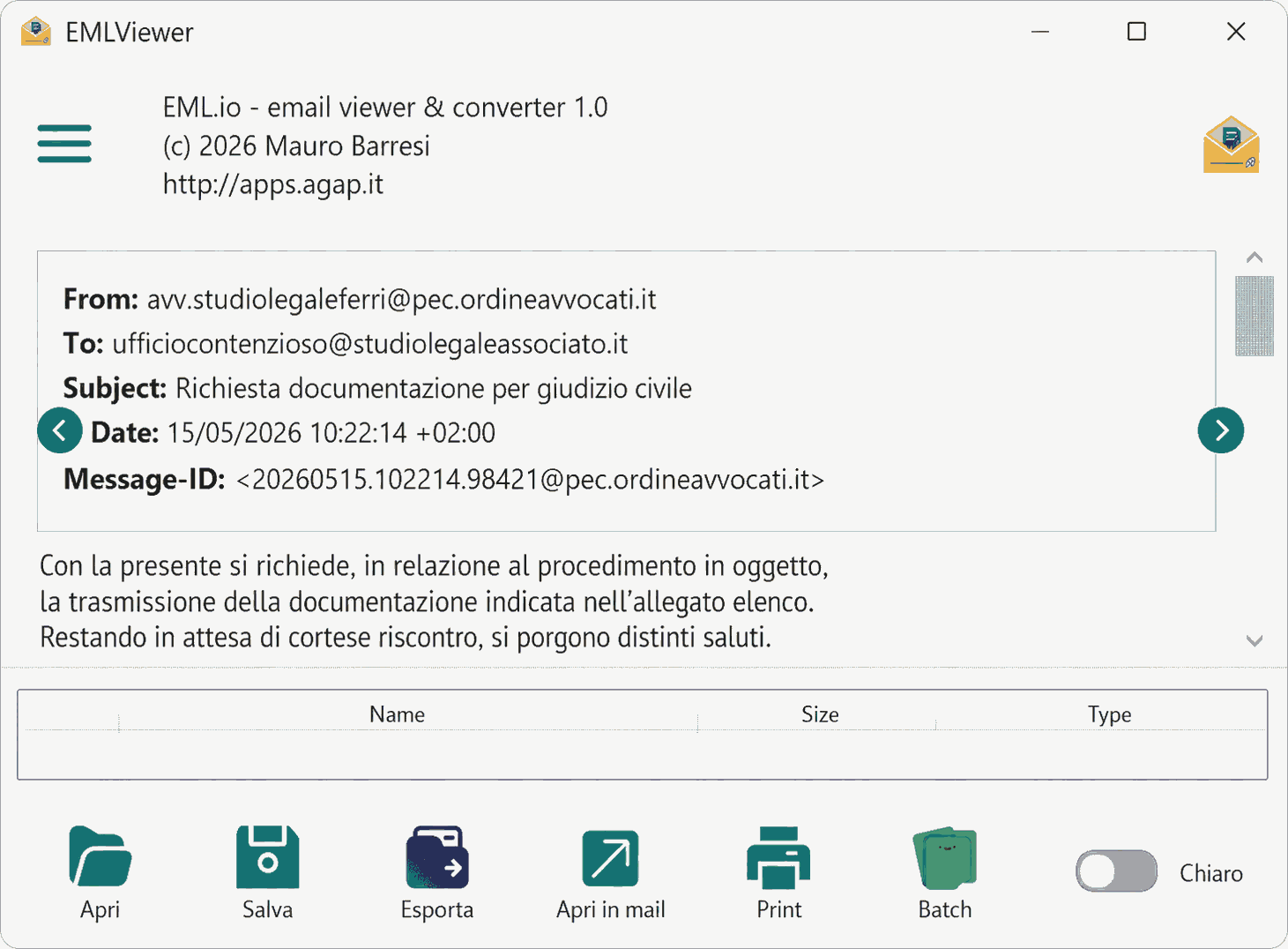
Consulta il messaggio HTML con mittente, destinatari e data, e gestisci subito gli allegati: apri, salva o salva tutti.Read the HTML message with sender, recipients and date, and handle attachments right away: open, save or save all.
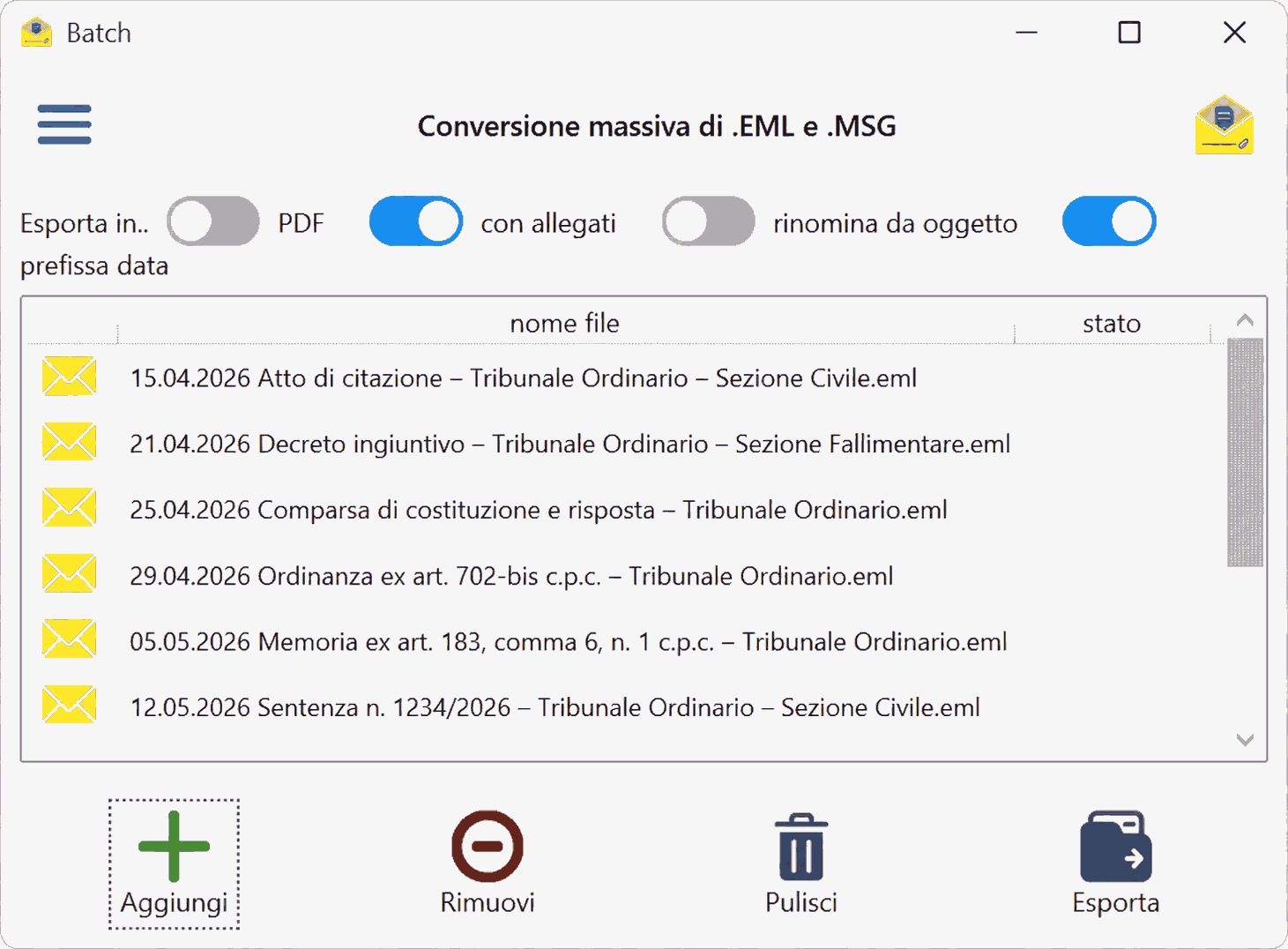
Elabora più messaggi con opzioni di formato (PDF o HTML), allegati in cartella o PDF unico e rinomina per data e oggetto.Process multiple messages with format (PDF or HTML), attachments in a folder or a single PDF, and renaming by date and subject.
Per le PEC: struttura della busta, daticert.xml interpretato e accesso al messaggio originale; in più header completi, autenticazione e sorgente raw. Qui con il tema scuro.For PEC mail: envelope structure, parsed daticert.xml and access to the original message; plus full headers, authentication and raw source. Shown here in dark theme.
Il canale consigliato per Windows è Microsoft Store: installazione e aggiornamenti automatici sono gestiti direttamente dallo Store. The recommended channel for Windows is Microsoft Store: installation and automatic updates are handled directly by the Store.
Apri EML.io nel Microsoft StoreOpen EML.io in Microsoft Store
In alternativa puoi scaricare dal sito AGAP l'archivio ZIP con l'eseguibile portabile: estrai il contenuto in una cartella e avvia emlio.exe, senza installazione. Gli aggiornamenti della versione ZIP vanno scaricati manualmente da questa pagina.
Alternatively, download the ZIP archive with the portable executable from the AGAP website: extract it to a folder and run emlio.exe, no installation required. Updates for the ZIP version must be downloaded manually from this page.
La versione Android continua a essere disponibile direttamente dal sito AGAP come pacchetto APK. The Android version remains available directly from the AGAP website as an APK package.
Scarica EML.io per AndroidDownload EML.io for Android