IMG2ICO 2.0 • ex PNG2ICOformerly PNG2ICO • Windows • Web app

Da qualsiasi immagine a icona ICO, e ritorno From any image to an ICO icon, and back

IMG2ICO è la nuova versione di PNG2ICO: crea icone multi-risoluzione da PNG, JPG, WebP, AVIF, GIF, BMP e SVG ed estrae dalle icone ICO le immagini PNG in qualsiasi dimensione, anche tutte insieme. Le icone si rigenerano in tempo reale a ogni modifica delle opzioni. Tutto avviene in locale: nessun upload, nessuna condivisione dei dati. IMG2ICO is the new version of PNG2ICO: it creates multi-resolution icons from PNG, JPG, WebP, AVIF, GIF, BMP and SVG and extracts PNG images from ICO icons at any size, or all of them at once. Icons are rebuilt live whenever you change an option. Everything happens locally: no uploads, no data sharing.

✓ 8 formati di immagine in ingresso8 input image formats ✓ 100% locale, nessun upload100% local, no uploads ✓ Gratuita per uso personaleFree for personal use
IMG2ICO AGAP
IMG2ICO - convertitore di immagini e icone ICO
Tutto in locale. Sicuro e privato.All local. Secure and private.

Un convertitore veloce per sviluppatori e designerA fast converter for developers and designers

Nessun upload, nessuna condivisione dei dati: le tue immagini restano sul tuo computer.No uploads, no data sharing: your images stay on your computer.

🖼️

Da immagini a ICOImages to ICO

PNG, APNG, JPG, BMP, GIF, WebP, AVIF e SVG diventano icone con le dimensioni che scegli, da 16 a 256 px, oppure tutte quelle standard fino alla dimensione dell'immagine.PNG, APNG, JPG, BMP, GIF, WebP, AVIF and SVG become icons with the sizes you choose, from 16 to 256 px, or every standard size up to the image size.

📤

Da ICO a PNGICO to PNG

Visualizza tutte le dimensioni contenute in un'icona, con profondità colore e formato interno, e salvane una a scelta oppure tutte in PNG.See every size contained in an icon, with colour depth and internal format, and save any one of them or all of them as PNG.

🪟

Integrata in WindowsWindows integration

Compare in «Apri con» per immagini e icone, apre i file passati da riga di comando e si aggiorna da sola con il controllo aggiornamenti.It appears in "Open with" for images and icons, opens files passed on the command line and keeps itself current with the update check.

FunzionalitàFeatures

Icone perfette in pochi secondiPerfect icons in seconds

📐

Dimensioni a sceltaSizes of your choice

Seleziona 16, 24, 32, 48, 64, 128 e 256 px oppure lascia fare alla modalità automatica. Gli SVG vengono rasterizzati ad alta risoluzione per restare nitidi a ogni dimensione.Select 16, 24, 32, 48, 64, 128 and 256 px or let automatic mode do it. SVGs are rasterized at high resolution so every size stays sharp.

⚡

Anteprima in tempo realeLive generation

Le icone vengono create appena aggiungi i file e si rigenerano quando cambi le opzioni. Salva la singola icona o tutte con un clic.Icons are created as soon as you add files and rebuilt when you change options. Save a single icon or all of them in one click.

👾

Margine, filtri e pixel artMargin, filters and pixel art

Margine trasparente fino al 40%, scala di grigi, ridimensionamento senza sfocatura per la pixel art e codifica BMP legacy per la massima compatibilità.Transparent margin up to 40%, grayscale, blur-free resizing for pixel art and legacy BMP encoding for maximum compatibility.

🖱️

Drag & drop ovunqueDrag & drop anywhere

Trascina i file in qualsiasi punto della finestra, oppure usa «Sfoglia file», «Apri con» di Windows o la riga di comando.Drop files anywhere in the window, or use "Browse files", Windows "Open with" or the command line.

🌗

Temi, lingua e zoomThemes, language and zoom

Tema chiaro, scuro o di sistema, lingua automatica, italiana o inglese e zoom dell'interfaccia dal 70 al 150%.Light, dark or system theme, automatic, Italian or English language and interface zoom from 70 to 150%.

⌨️

Scorciatoie e guidaShortcuts and help

Ctrl+1/2/3 per le sezioni, Ctrl+O per aprire, Ctrl+S per salvare, F1 per la guida e un tutorial iniziale in 4 passaggi.Ctrl+1/2/3 for sections, Ctrl+O to open, Ctrl+S to save, F1 for help and a 4-step welcome tutorial.
Screenshot

IMG2ICO in usoIMG2ICO in action

IMG2ICO - da immagini a ICO

Da immagini a ICOImages to ICO

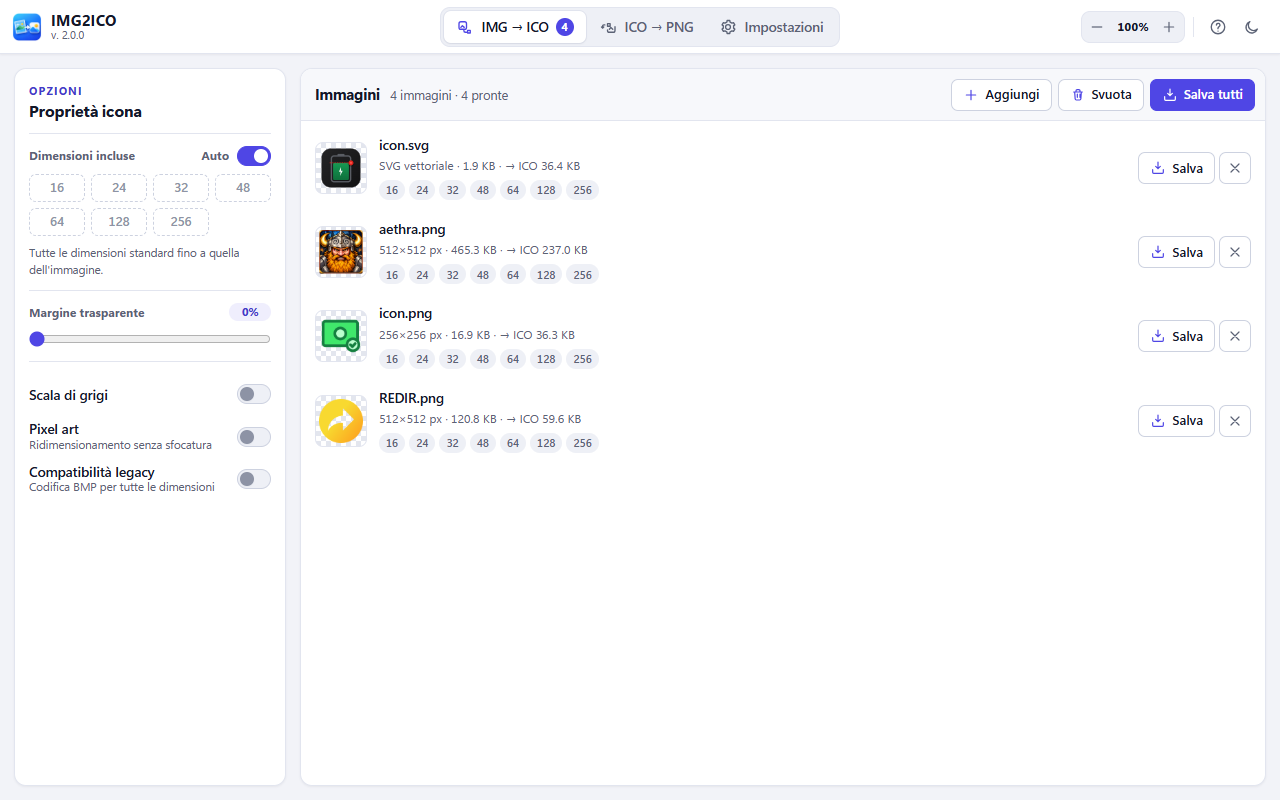
Aggiungi SVG, PNG, JPG o WebP: ogni file mostra le dimensioni incluse nell'icona e il peso finale. Salva il singolo ICO o tutti insieme.Add SVG, PNG, JPG or WebP files: each one shows the sizes included in the icon and the final file size. Save a single ICO or all of them.

IMG2ICO - da ICO a PNG

Da ICO a PNGICO to PNG

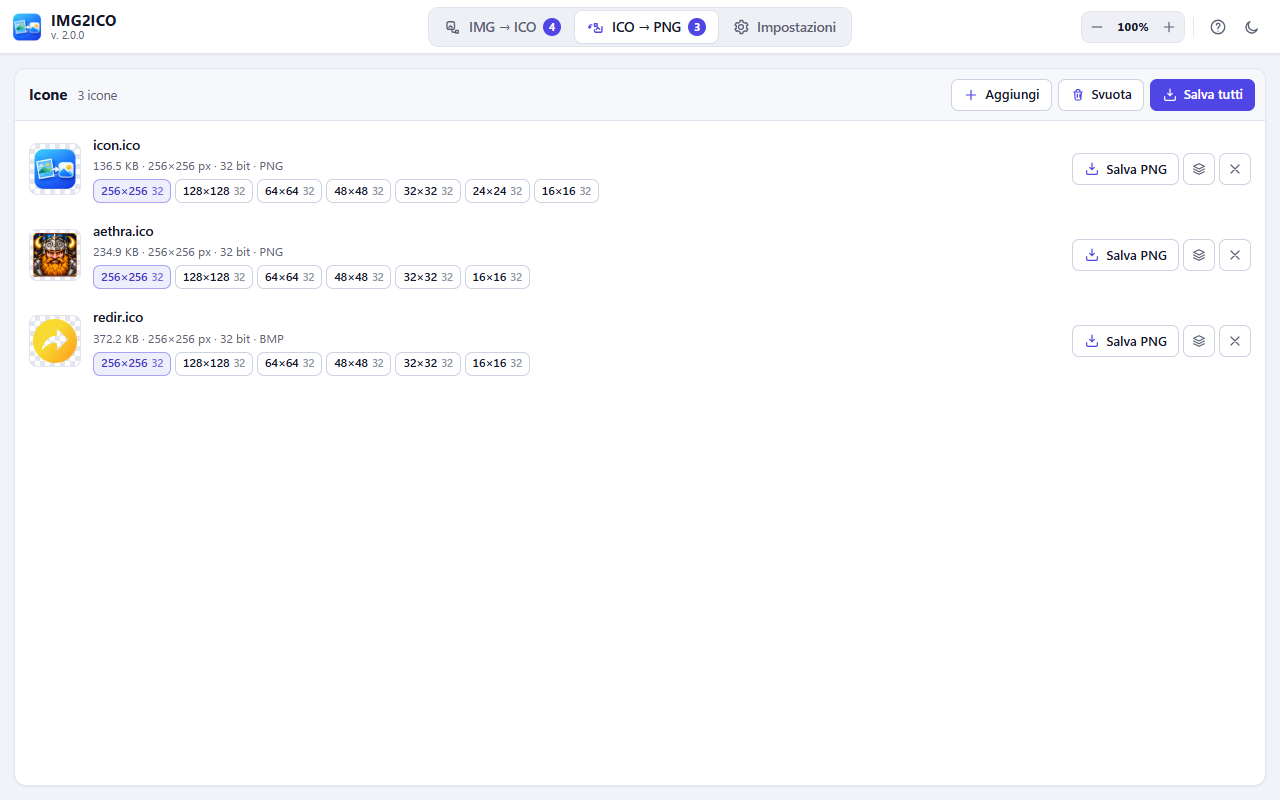
Per ogni icona vedi tutte le dimensioni contenute con profondità colore e formato (PNG o BMP): scegli quella da esportare oppure salvale tutte.For each icon you see every contained size with colour depth and format (PNG or BMP): pick the one to export or save them all.

IMG2ICO - opzioni e tema scuro

Opzioni e tema scuroOptions and dark theme

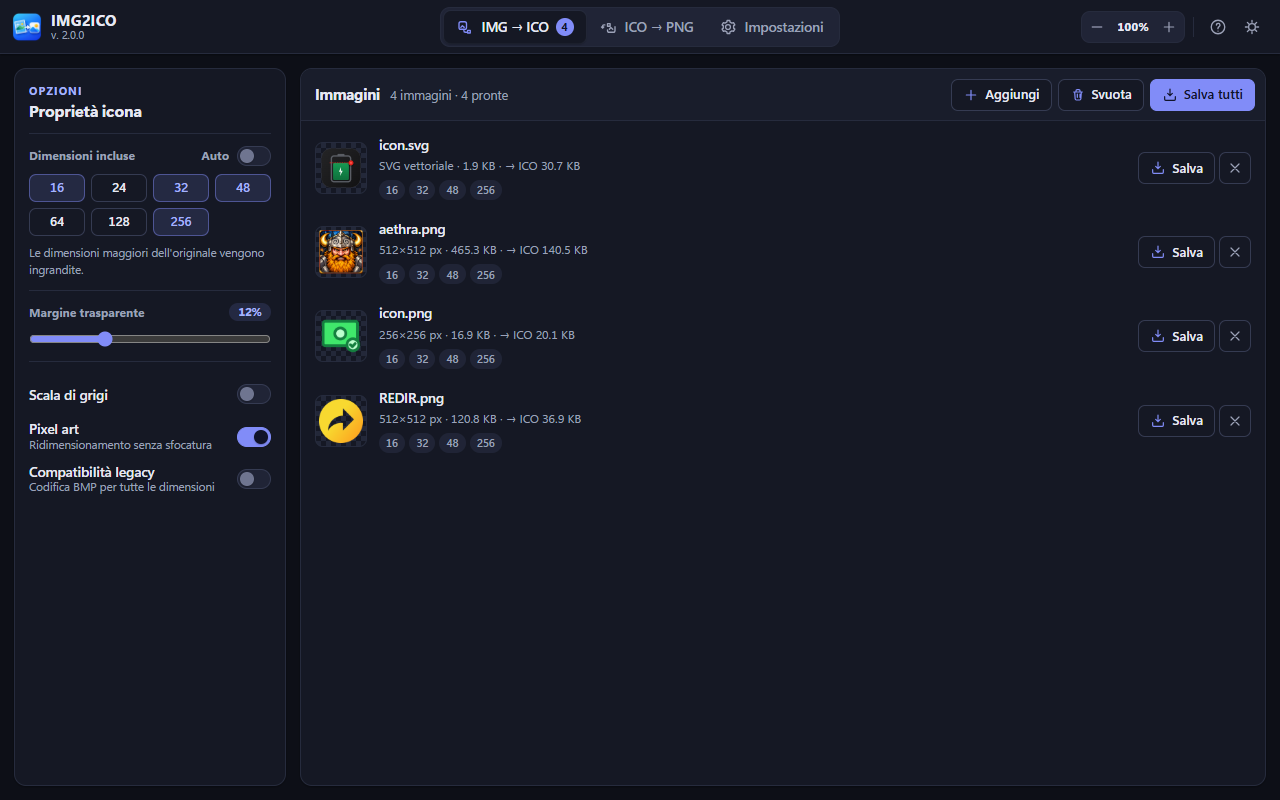
Scegli manualmente le dimensioni, aggiungi un margine trasparente e attiva la modalità pixel art: le icone si rigenerano all'istante.Pick sizes manually, add a transparent margin and turn on pixel art mode: icons are rebuilt instantly.

Download

Scegli la versione di IMG2ICOChoose your IMG2ICO version

Windows - Microsoft Store

Il canale consigliato per Windows è Microsoft Store: installazione e aggiornamenti automatici sono gestiti direttamente dallo Store. The recommended channel for Windows is Microsoft Store: installation and automatic updates are handled directly by the Store.

Apri IMG2ICO nel Microsoft StoreOpen IMG2ICO in Microsoft Store PrestoSoon

Windows - ZIP portabileWindows - Portable ZIP

Versione portatile, offline e 100% locale: non richiede installazione. Estrai l'archivio in una cartella e avvia l'eseguibile; l'app ti avvisa quando è disponibile una nuova versione. Portable, offline and 100% local version: no installation required. Extract the archive to a folder and run the executable; the app tells you when a new version is available.

Scarica IMG2ICO per WindowsDownload IMG2ICO for Windows

Web app - dal sitoWeb app - from the website

Versione online: non occorre scaricare nulla, basta aprirla nel browser. Anche qui le immagini vengono elaborate solo nel browser. Online version: no download needed, just open it in your browser. Here too, images are processed only inside the browser.

Apri IMG2ICO versione webOpen IMG2ICO web version