✉️
IntestazioniHeaders
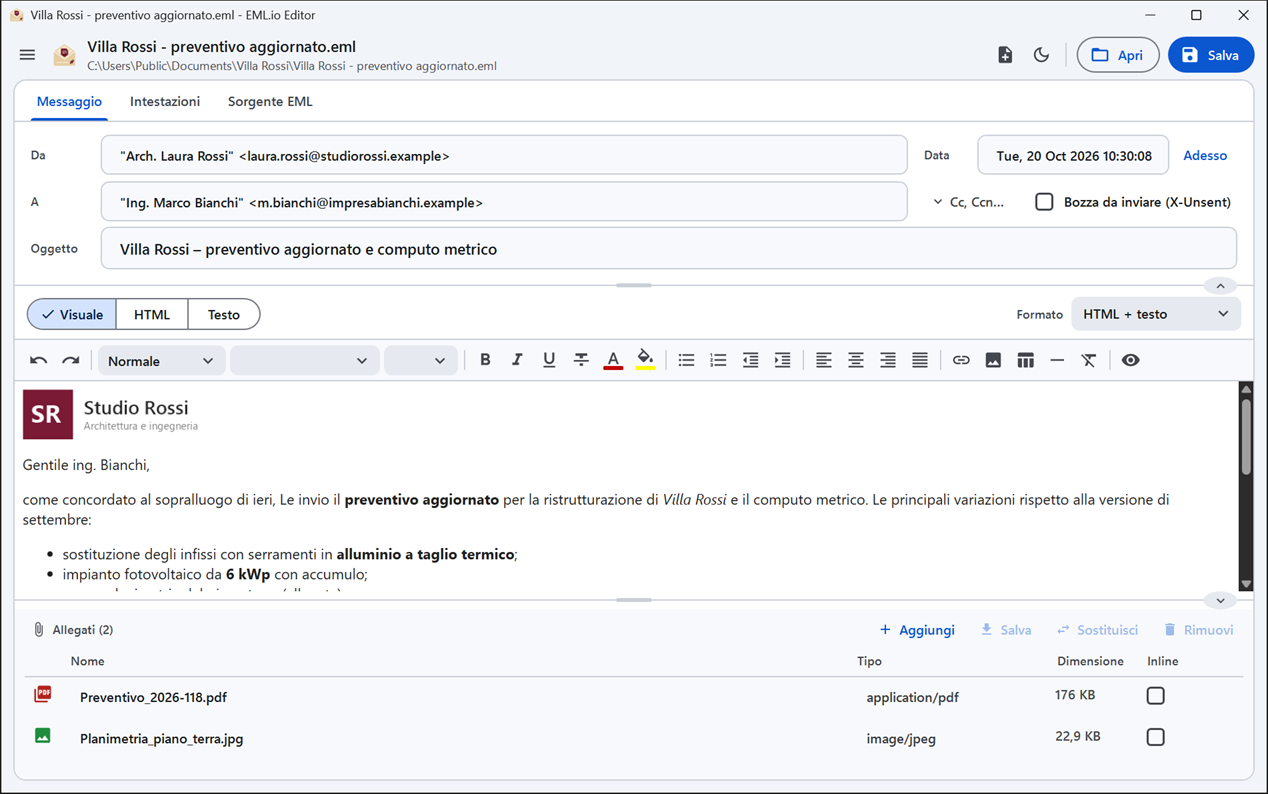
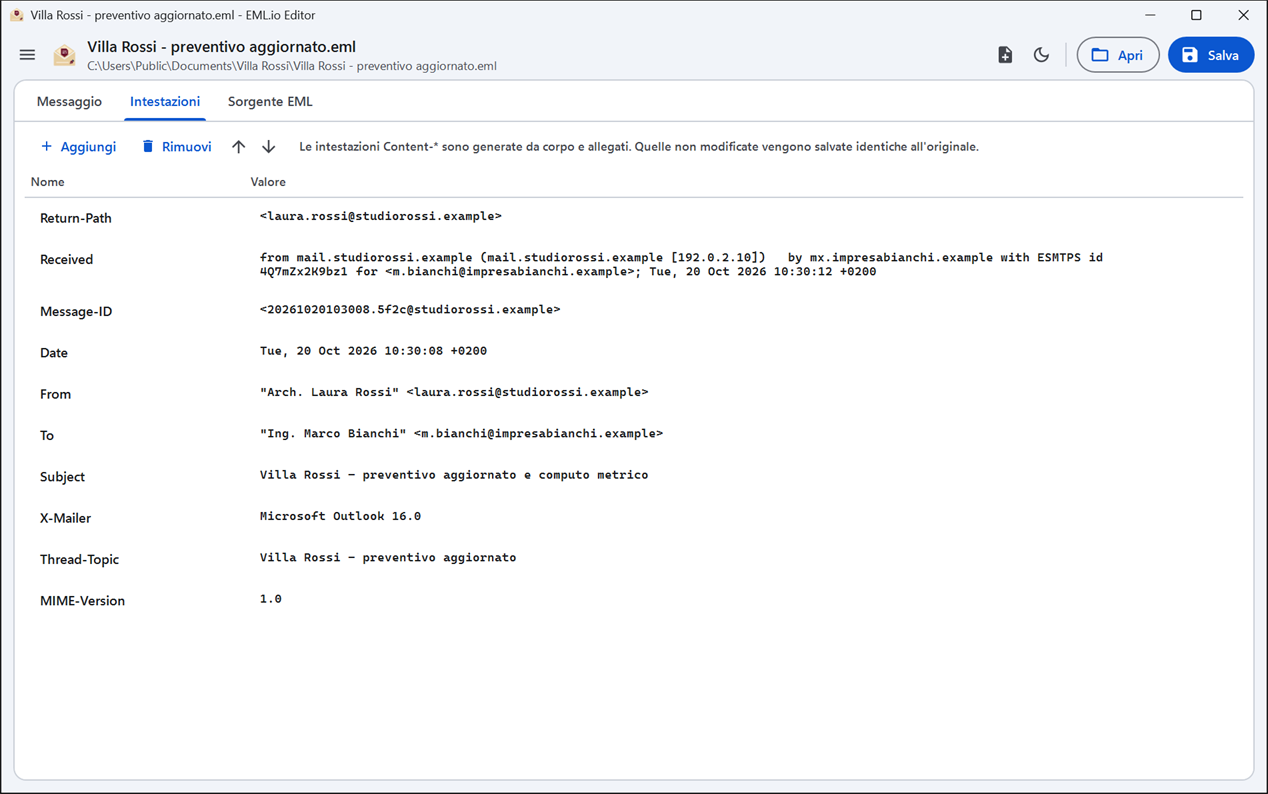
Modulo rapido per Da, A, Cc, Ccn, Rispondi a, Oggetto, Data (anche Adesso con un clic) e Priorità, con controllo degli indirizzi. Nella scheda Intestazioni le vedi tutte: aggiungi, rimuovi, modifica e riordina.Quick form for From, To, Cc, Bcc, Reply to, Subject, Date (Now in one click) and Priority, with address checking. The Headers tab shows all of them: add, remove, edit and reorder.
📝
Corpo formattatoFormatted body
Editor visuale con stili, carattere, dimensione, colori, elenchi, allineamenti, link, tabelle e linee; in alternativa sorgente HTML o testo semplice. Salva come HTML + testo, solo HTML o solo testo, con il testo generato dall'HTML.Visual editor with styles, font, size, colours, lists, alignment, links, tables and rules; or edit the HTML source or plain text. Save as HTML + plain text, HTML only or plain text only, with the text generated from the HTML.
🖼️
Immagini incorporateInline images
Le immagini cid: del messaggio sono visibili e modificabili. Quelle che incolli o trascini nel testo diventano parti incorporate, non link. Le immagini remote restano bloccate finché non le mostri.cid: images in the message are shown and editable. Images you paste or drag into the text become embedded parts, not links. Remote images stay blocked until you show them.
📎
AllegatiAttachments
Aggiungi trascinando, rimuovi (con annulla), rinomina, cambia tipo MIME, scegli inline o allegato, sostituisci con un altro file, salva e apri. Un .eml allegato diventa un messaggio inoltrato. Avviso oltre i 20-25 MB che molti server rifiutano.Add by dragging, remove (with undo), rename, change MIME type, choose inline or attachment, replace with another file, save and open. An attached .eml becomes a forwarded message. Warning above the 20-25 MB many servers reject.
🔄
Da .msg a .emlFrom .msg to .eml
Apri un file .msg di Outlook: viene convertito e, dopo le modifiche, salvato come nuovo file .eml. Con Ctrl+N parti invece da un messaggio vuoto.Open an Outlook .msg file: it is converted and, after your edits, saved as a new .eml file. With Ctrl+N you start from an empty message instead.
🔍
Sorgente EMLEML source
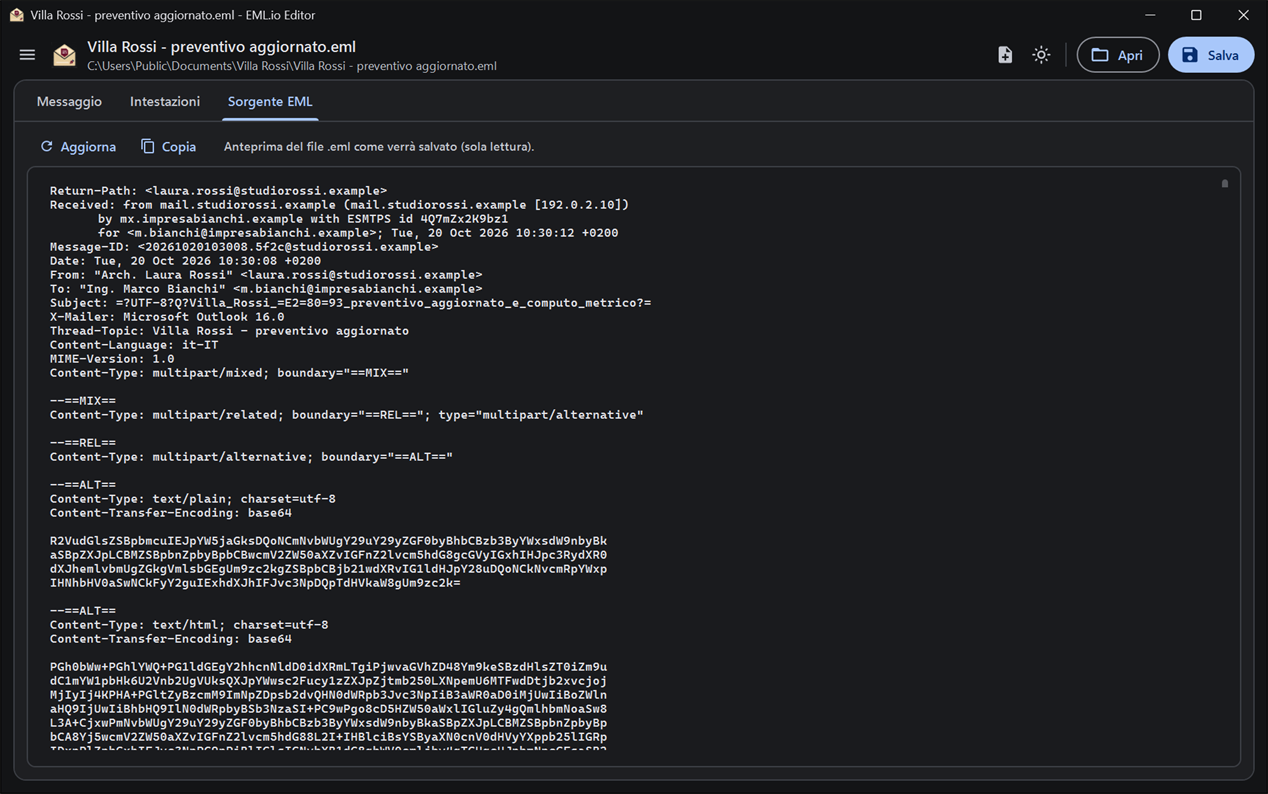
La scheda Sorgente EML mostra il file esattamente come verrà salvato, da controllare o copiare. I messaggi firmati o cifrati sono segnalati all'apertura. Tema chiaro e scuro, italiano e inglese.The EML source tab shows the file exactly as it will be saved, to check or copy. Signed or encrypted messages are flagged when opened. Light and dark theme, Italian and English.