Md-VC 1.0 • Markdown Visual Composer • Windows

Scrivi in Markdown come in un word processor Write Markdown like in a word processor

Md-VC è un editor Markdown visuale a schede: formatti titoli, tabelle, elenchi e codice con la barra degli strumenti e le scorciatoie di Word, e il file viene salvato come Markdown GitHub (GFM) pulito, leggibile ovunque. Quando vuoi vedere o ritoccare la sintassi, Ctrl+M passa al sorgente con evidenziazione e numeri di riga. Incolla da Word e dalle pagine web, esporta in PDF, HTML e TXT. Md-VC is a tabbed visual Markdown editor: you format headings, tables, lists and code with the toolbar and Word's shortcuts, and the file is saved as clean GitHub Markdown (GFM), readable anywhere. When you want to see or tweak the syntax, Ctrl+M switches to the source with highlighting and line numbers. Paste from Word and web pages, export to PDF, HTML and TXT.

✓ Markdown GitHub (GFM) pulitoClean GitHub Markdown (GFM) ✓ Un solo eseguibile, senza installazioneA single executable, no installation ✓ Gratuita per uso personaleFree for personal use
Md-VC Markdown Visual Composer AGAP
Md-VC Markdown Visual Composer - editor Markdown visuale per Windows
Perché Md-VCWhy Md-VC

La comodità di Word, la portabilità del MarkdownThe ease of Word, the portability of Markdown

README, note, verbali e documentazione restano semplici file di testo, versionabili e leggibili su GitHub, GitLab o in qualsiasi editor.READMEs, notes, minutes and documentation stay plain text files, easy to version and readable on GitHub, GitLab or in any editor.

✍️

VisualeVisual

Vedi il documento già formattato mentre scrivi: niente asterischi e cancelletti, a meno che tu non li voglia vedere.You see the formatted document as you type: no asterisks or hash marks, unless you want to see them.

🧾

Fedele al MarkdownTrue to Markdown

CommonMark 0.31 + GitHub Flavored Markdown. Front matter YAML, blocchi HTML, note a piè di pagina e avvisi > [!NOTE] vengono conservati.CommonMark 0.31 + GitHub Flavored Markdown. YAML front matter, HTML blocks, footnotes and > [!NOTE] alerts are preserved.

🪶

Leggero e localeLight and local

Un solo eseguibile di meno di 2 MB, nessun account, nessun cloud: i tuoi file restano sul tuo PC.A single executable under 2 MB, no account, no cloud: your files stay on your PC.

FunzionalitàFeatures

Tutto quello che serve per scrivere in MarkdownEverything you need to write Markdown

📝

Formattazione completaComplete formatting

Titoli, grassetto, corsivo, barrato, evidenziato, apice e pedice, codice e blocchi con linguaggio, citazioni, elenchi puntati, numerati e attività, linee, link, immagini ed emoji.Headings, bold, italic, strikethrough, highlight, superscript and subscript, inline code and code blocks with language, quotes, bulleted, numbered and task lists, rules, links, images and emoji.

▦

Tabelle vereReal tables

Inserisci una tabella dalla griglia, aggiungi o elimina righe e colonne, unisci celle e allinea le colonne: Md-VC scrive la tabella GFM con gli allineamenti.Insert a table from the grid, add or delete rows and columns, merge cells and align columns: Md-VC writes the GFM table with its alignments.

🗂️

Schede e vista MarkdownTabs and Markdown view

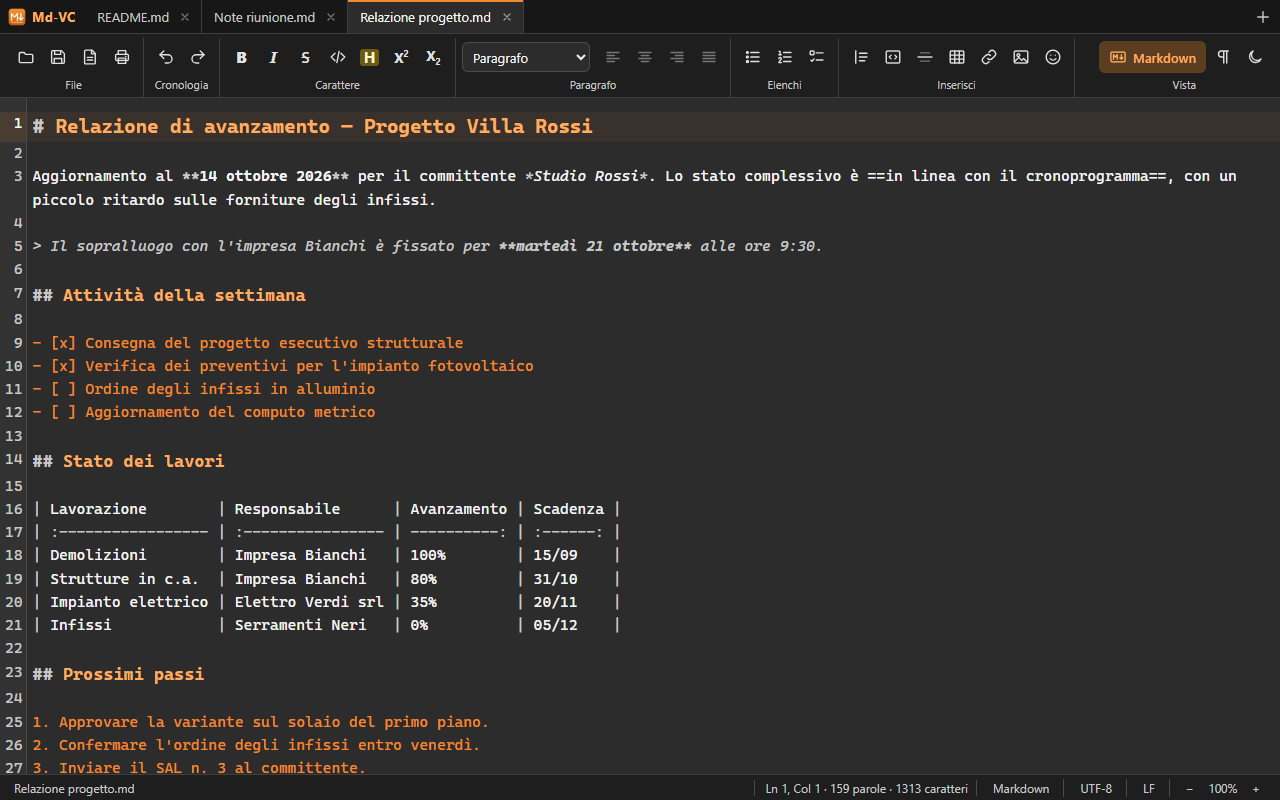
Un file per scheda, da trascinare e riordinare; Ctrl+Maiusc+T riapre l'ultima chiusa. Ctrl+M mostra il sorgente con evidenziazione, numeri di riga e ricerca; Ctrl+Maiusc+8 i segni non grafici.One file per tab, drag to reorder; Ctrl+Shift+T reopens the last closed one. Ctrl+M shows the source with highlighting, line numbers and search; Ctrl+Shift+8 shows formatting marks.

📋

Incolla da Word e dal webPaste from Word and the web

Il contenuto copiato da Word, Outlook, LibreOffice, Google Docs e pagine web viene ripulito e convertito in Markdown, elenchi e tabelle compresi. Si importano anche file HTML.Content copied from Word, Outlook, LibreOffice, Google Docs and web pages is cleaned up and converted to Markdown, lists and tables included. HTML files can be imported too.

📤

Esporta e stampaExport and print

PDF vettoriale, HTML autonomo e TXT; copia in MD semplice o MD-HTML. Allineamenti e sottolineato si salvano come HTML compatibile con GitHub, oppure come Markdown puro.Vector PDF, standalone HTML and TXT; copy as plain MD or MD-HTML. Alignment and underline are saved as GitHub-compatible HTML, or as pure Markdown.

⚙️

Su misuraYour way

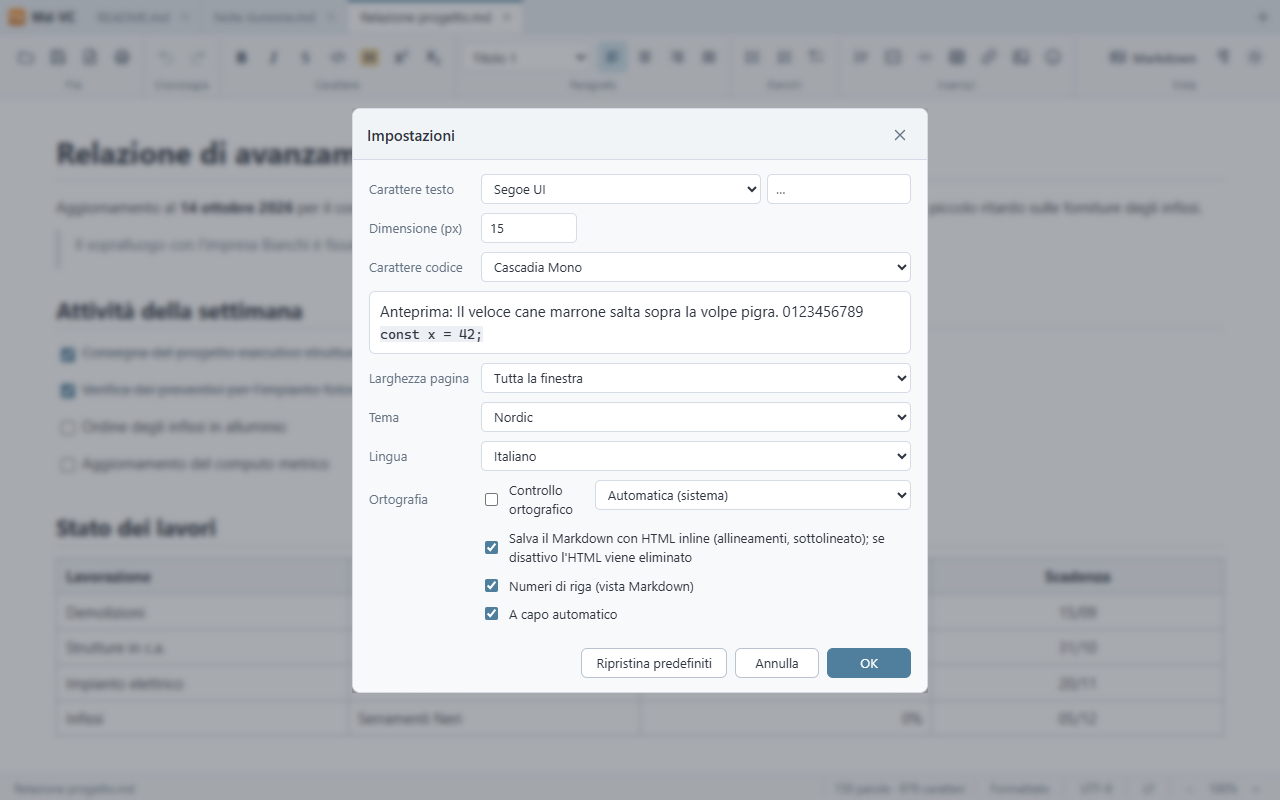
Sei temi (Chiaro, Scuro, Solarized, Contrasto elevato, Nordic, Midnight black), carattere e larghezza pagina, zoom per scheda, controllo ortografico, codifica e fine riga dalla barra di stato, associazione dei file .md.Six themes (Light, Dark, Solarized, High contrast, Nordic, Midnight black), font and page width, per-tab zoom, spell check, encoding and line endings from the status bar, .md file association.
Screenshot

Md-VC in usoMd-VC in action

Md-VC - editor visuale con schede, elenco attività e tabella

Editor visualeVisual editor

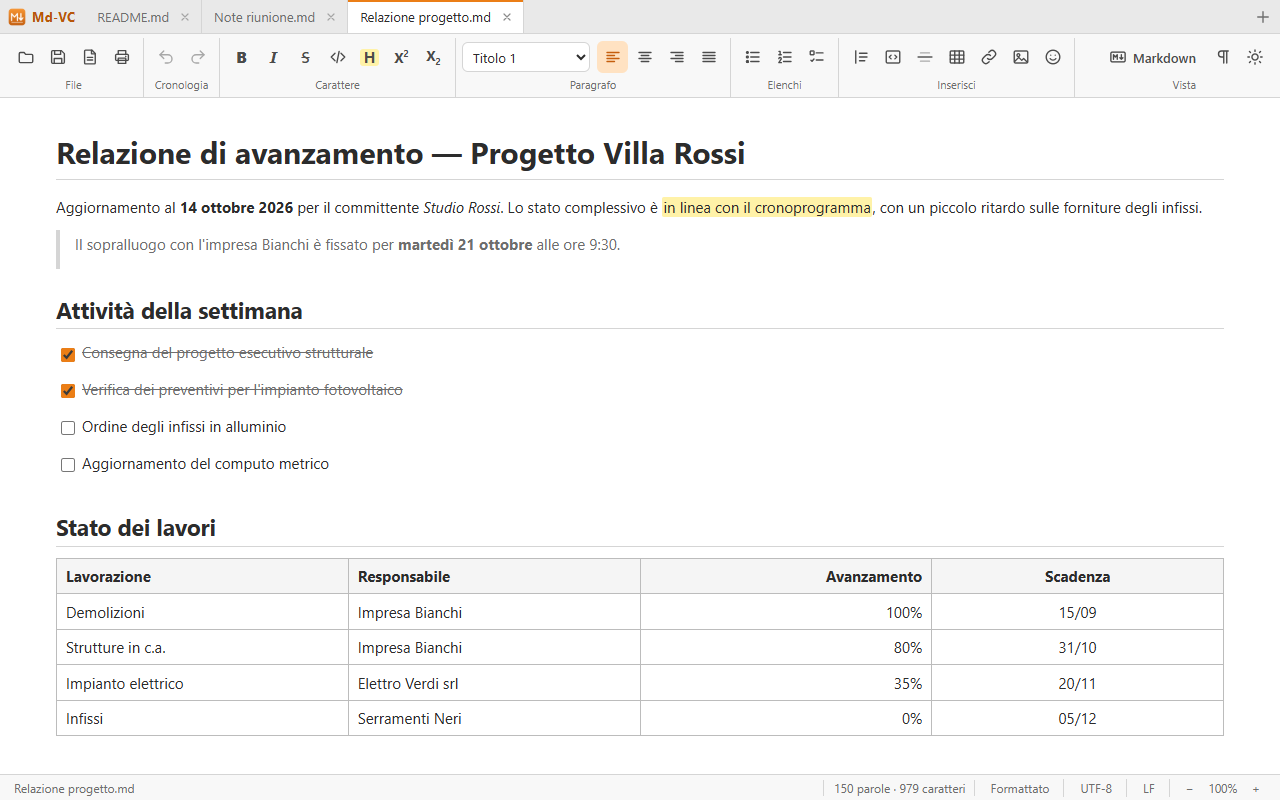
Tre documenti aperti in schede: titoli, evidenziato, citazione, elenco attività e tabella con colonne allineate, tema chiaro.Three documents open in tabs: headings, highlight, quote, task list and a table with aligned columns, light theme.

Md-VC - vista Markdown con evidenziazione e numeri di riga

Vista MarkdownMarkdown view

Lo stesso documento in sorgente con Ctrl+M: sintassi evidenziata e numeri di riga, tema scuro.The same document as source with Ctrl+M: highlighted syntax and line numbers, dark theme.

Md-VC - impostazioni con carattere, tema e opzioni Markdown

Impostazioni e temiSettings and themes

Carattere del testo e del codice con anteprima, larghezza pagina, tema (qui Nordic), lingua, ortografia e HTML inline nel Markdown.Text and code font with preview, page width, theme (Nordic here), language, spelling and inline HTML in Markdown.

Download

Scarica Md-VCDownload Md-VC

Windows - Microsoft StoreWindows - Microsoft Store

Il canale consigliato è Microsoft Store: installazione, associazione dei file .md e aggiornamenti automatici sono gestiti dallo Store. The recommended channel is Microsoft Store: installation, .md file association and automatic updates are handled by the Store.

Apri Md-VC nel Microsoft StoreOpen Md-VC in Microsoft Store

Windows - ZIP portabileWindows - Portable ZIP

In alternativa scarica l'archivio ZIP con l'eseguibile portabile: estrai mdvc.exe in una cartella e avvialo, senza installazione. Al primo avvio si registra come programma per i file .md dell'utente corrente, senza diritti di amministratore. Richiede Windows 10 o 11 con WebView2 (già presente in Windows 11). Interfaccia in italiano e inglese. Alternatively, download the ZIP archive with the portable executable: extract mdvc.exe to a folder and run it, no installation needed. On first launch it registers itself for .md files for the current user, with no administrator rights. Requires Windows 10 or 11 with WebView2 (already included in Windows 11). Italian and English user interface.

Scarica Md-VC per WindowsDownload Md-VC for Windows