Unità rilevateDetected drives
La schermata principale elenca le unità rimovibili trovate, con refresh sempre a portata di clic.The main screen lists the detected removable drives, with refresh always one click away.
Eject the damn drive rileva chiavette USB e volumi rimovibili e li espelle con un clic. Quando Windows non molla la presa perché qualche processo tiene occupata l'unità, esegue una sequenza guidata di tentativi progressivi (flush, dismount, chiusura di Explorer, eject PnP e altro) finché il disco non è davvero rimosso. Eject the damn drive detects USB sticks and removable volumes and ejects them with one click. When Windows refuses to let go because some process keeps the drive busy, it runs a guided sequence of progressive attempts (flush, dismount, Explorer shutdown, PnP eject and more) until the drive is actually removed.

Espelli in modo sicuro o forzato unità USB e volumi rimovibili.Safely or forcibly eject USB drives and removable volumes.
Rileva le unità rimovibili pronte all'uso e prova l'espulsione standard con un clic, mantenendo il flusso semplice e immediato.It detects ready removable drives and attempts standard safe ejection with one click, keeping the workflow simple and immediate.
Quando Windows non molla la presa, ETDD esegue una sequenza di fallback: flush, dismount, chiusura di Explorer, eject PnP e altri tentativi progressivi.When Windows refuses to let go, ETDD runs a fallback sequence: flush, dismount, Explorer shutdown, PnP eject and other progressive attempts.
Log dettagliato, notifiche di sistema e opzioni per gestire conferme, dirty bit, BitLocker e l'espulsione dell'intero disco oltre al solo volume.Detailed log, system notifications and options to handle confirmations, dirty-bit checks, BitLocker and ejecting the full disk instead of only the volume.
La schermata principale elenca le unità rimovibili trovate, con refresh sempre a portata di clic.The main screen lists the detected removable drives, with refresh always one click away.
Espulsione standard o forzata dai pulsanti della schermata principale, dal menu del tasto destro sull'unità o con Ctrl+E e Ctrl+Shift+E.Standard or forced ejection from the main screen buttons, the right-click menu on the drive or with Ctrl+E and Ctrl+Shift+E.
La procedura forzata prova più strategie una dopo l'altra e si ferma appena l'unità risulta davvero rimossa dal sistema.The forced workflow tries multiple strategies one after the other and stops as soon as the drive is actually gone from the system.
Opzioni per richiedere conferme e controllare dirty bit e BitLocker prima di procedere.Options to ask for confirmations and check dirty bit and BitLocker before proceeding.
Puoi espellere l'intero disco fisico e non solo il singolo volume.You can eject the whole physical disk, not just the single volume.
Il registro della scheda Activity, la barra di stato e le notifiche di sistema spiegano cosa sta bloccando la rimozione e quali salvaguardie sono attive.The Activity tab log, the status bar and system notifications explain what is blocking removal and which safeguards are active.
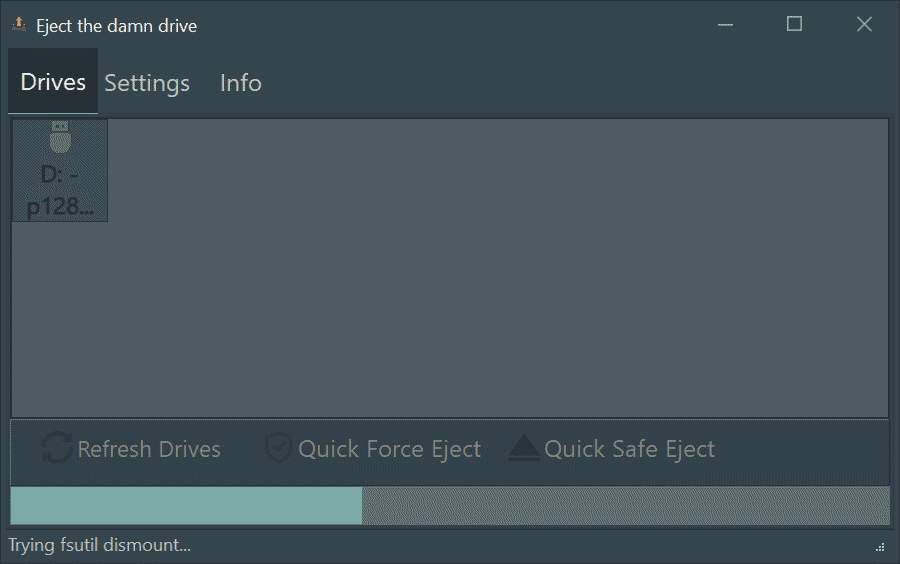
La scheda Drives elenca chiavette USB e schede di memoria pronte e si aggiorna da sola quando colleghi un'unità; Safe eject e Force eject sono sempre in basso, refresh con F5.The Drives tab lists ready USB sticks and memory cards and updates itself when you plug a drive in; Safe eject and Force eject are always at the bottom, refresh with F5.
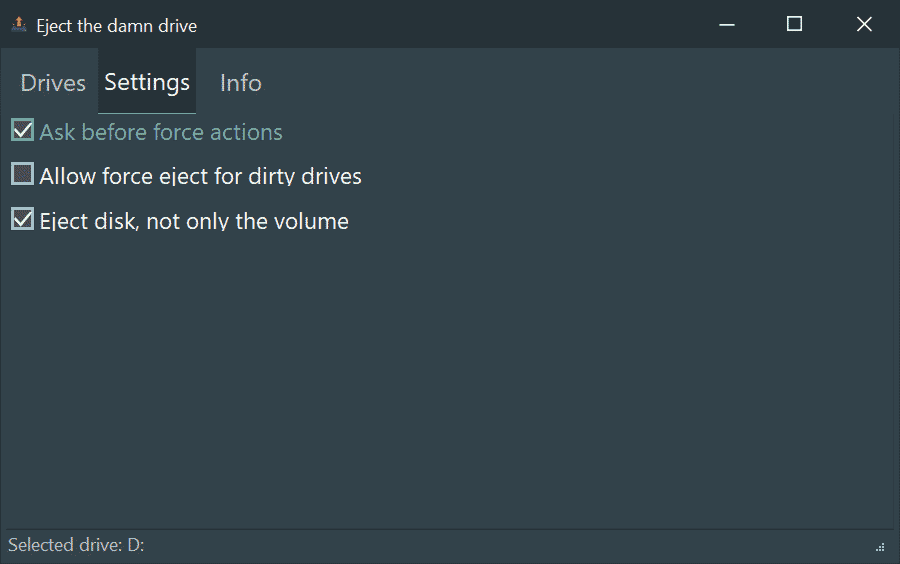
Scegli se confermare ogni passo aggressivo del force eject, se procedere anche su volumi marcati dirty e se espellere l'intero disco oltre al volume; tema di sistema, chiaro o scuro.Choose whether to confirm each aggressive force-eject step, whether to proceed on volumes marked dirty and whether to eject the whole disk besides the volume; system, light or dark theme.
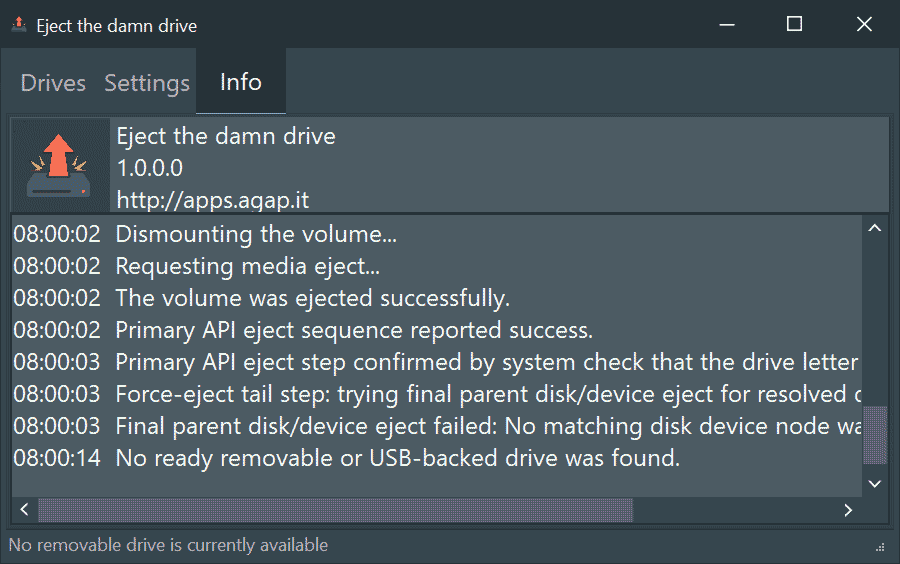
La scheda Activity mostra versione e controllo aggiornamenti e un registro dettagliato di ogni tentativo, da copiare per capire cosa blocca la rimozione.The Activity tab shows the version and update check and a detailed log of every attempt, which you can copy to see what is blocking removal.
Il canale consigliato per Windows è Microsoft Store: installazione e aggiornamenti automatici sono gestiti direttamente dallo Store. The recommended channel for Windows is Microsoft Store: installation and automatic updates are handled directly by the Store.
Apri Eject the damn drive nel Microsoft StoreOpen Eject the damn drive in Microsoft Store PrestoSoonBuild desktop per Windows in archivio ZIP: estrai l'archivio in una cartella e avvia l'eseguibile. Gli aggiornamenti vanno scaricati manualmente da questa pagina. Windows desktop build in a ZIP archive: extract the archive to a folder and run the executable. Updates must be downloaded manually from this page.
Scarica Eject the damn drive per WindowsDownload Eject the damn drive for Windows