🎚️
Cursore e presetSlider and presets
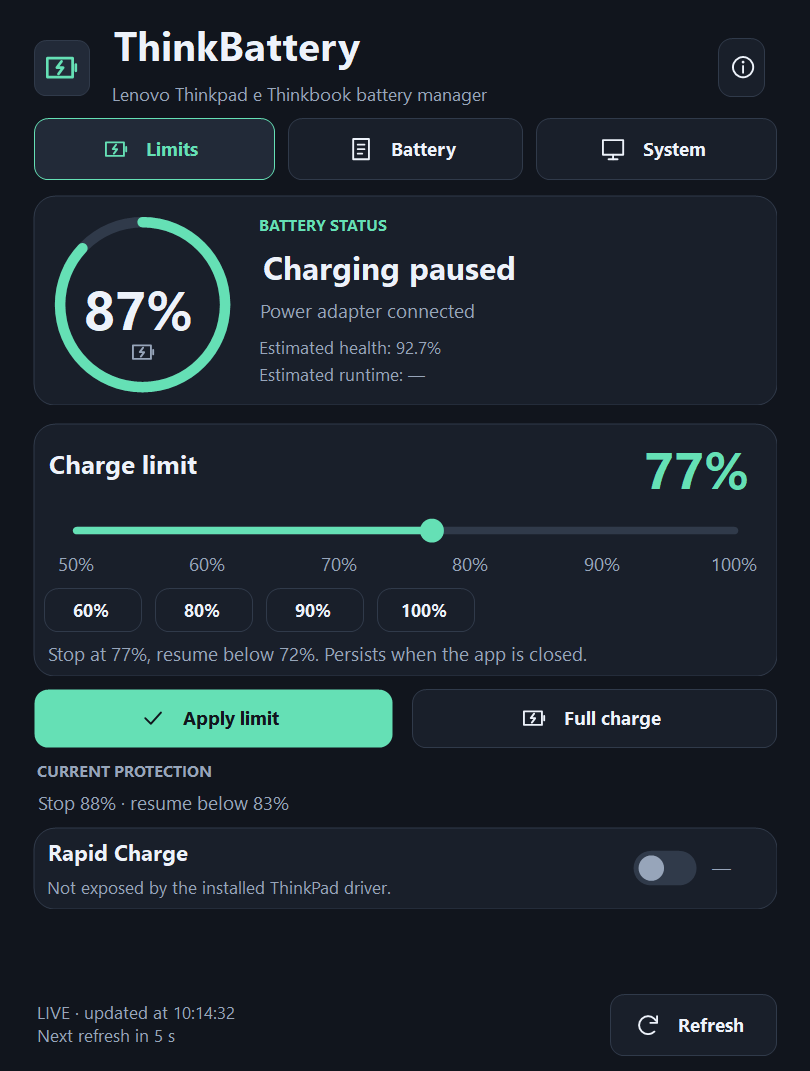
Scegli il limite con il cursore o con i preset 60, 80, 90 e 100%, poi «Apply limit». «Full charge» porta la batteria al 100% quando ti serve.Pick the limit with the slider or the 60, 80, 90 and 100% presets, then "Apply limit". "Full charge" takes the battery to 100% when you need it.
⚡
Rapid Charge
Attiva o disattiva la ricarica rapida sui modelli che la supportano, con verifica dello stato sul firmware e conferma quando esclude la modalità di conservazione.Turn rapid charging on or off on supported models, with the state verified on the firmware and a confirmation when it overrides conservation mode.
⏱️
Stato in tempo realeLive status
Indicatore circolare con percentuale e stato (in carica, ricarica in pausa, alimentatore collegato), aggiornato ogni 5 secondi.Ring gauge with percentage and status (charging, charging paused, power adapter connected), refreshed every 5 seconds.
🧷
Sempre nella trayAlways in the tray
Alla chiusura scegli se restare nella tray: dal menu cambi il limite al volo, attivi Rapid Charge e apri i dettagli della batteria.When closing, choose to stay in the tray: from its menu you change the limit on the fly, toggle Rapid Charge and open battery details.
🛡️
Admin solo quando serveAdmin only when needed
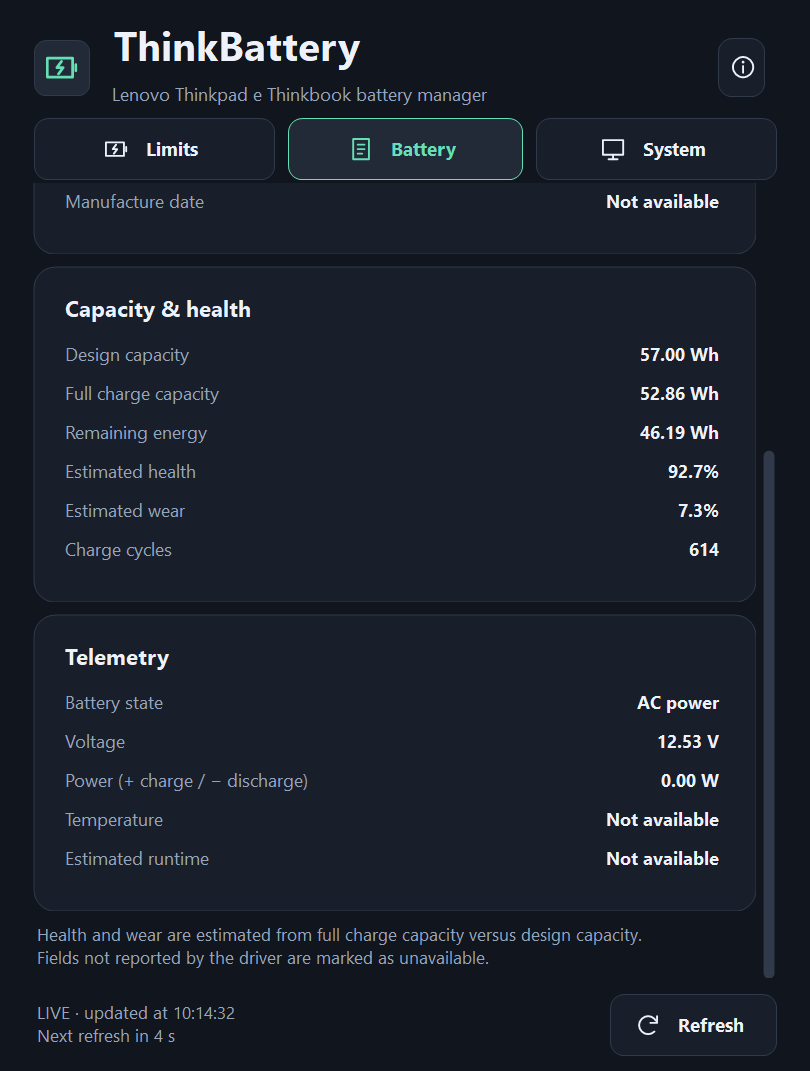
La lettura dei dati non richiede privilegi; per applicare un limite l'app chiede l'elevazione. Su PC non Lenovo funziona in sola lettura.Reading data needs no privileges; to apply a limit the app asks for elevation. On non-Lenovo PCs it works read-only.
🧹
Diagnostica e rimozione pulitaDiagnostics and clean removal
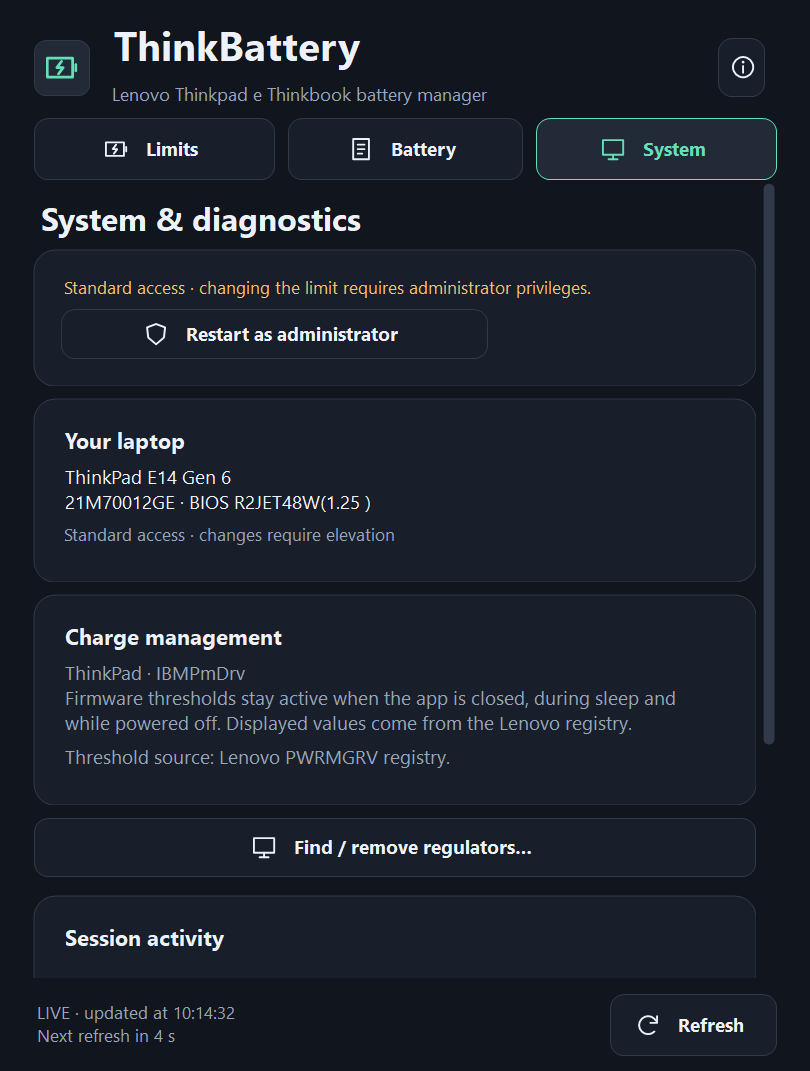
Scheda System con modello, BIOS, driver Lenovo e registro delle attività; «Find / remove regulators…» rimuove completamente il servizio.System tab with model, BIOS, Lenovo driver and activity log; "Find / remove regulators…" removes the service completely.